Workout tracking for iPhone
Every set, counted.
Last time’s numbers beside every set. Your progress in plain view.
Coming to iPhone · iOS 17 or later

Log
Log a set in one tap.
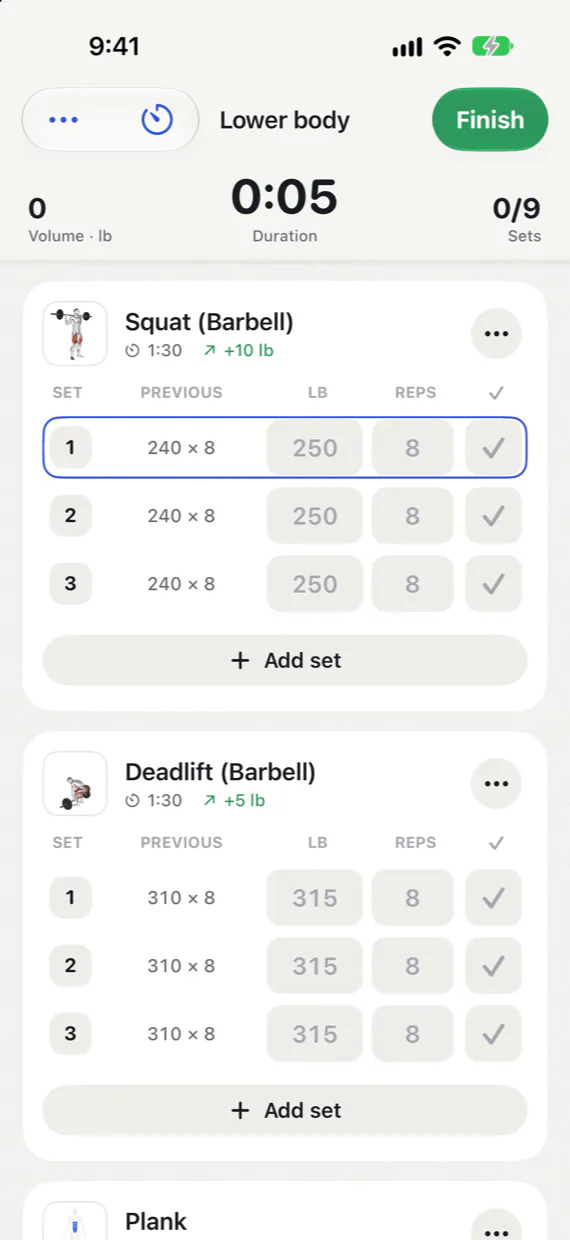
Set, previous, weight, reps, done. Today’s numbers are filled in; check the set to log it, and rest.
- Checked sets turn green and start a rest timer that names the next set.
- A trophy lands on the set the moment it’s a personal record.
- A green +5 lb shows when progression raised the weight.
- Warm-ups, drop sets, failure sets, rest-pause, supersets and timed sets.
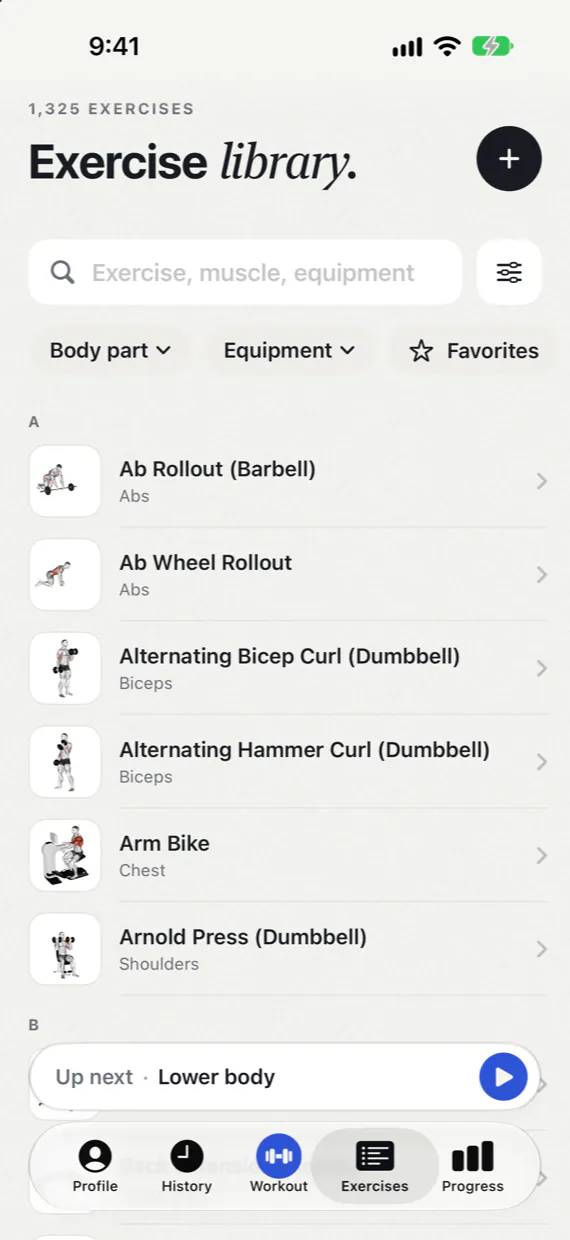
- 1,300+ demonstrated exercises, found by the names lifters use: lat pulldown, reverse pec deck, leg press.
- Finish to a summary with personal records and a card to share.
- Lock-screen rest alerts and a Live Activity, also in the Apple Watch Smart Stack (iOS 18 or later).
Progress
Progress you can read.
Clear charts from the sets you actually did. Warm-ups and unchecked sets never count.
- Workouts per week against your weekly goal.
- Volume and strength trends, each exercise’s charts, and a 1RM calculator.
- Body weight and measurements: body fat, waist, chest, arms and more, each charted.
- Muscles worked and a year of consistency.
- Records in one place: estimated 1RM, heaviest weight, best set volume and rep records from 1 to 12.
- Weekly, monthly and yearly recaps: one card you can dismiss, the rest kept in Progress.

Plans & history
Your training, in order.
Workouts sorted into plans, every session on a calendar, and the next one a tap away.
Plans as folders
Group My workouts into plans you can collapse or archive, and search them once the list grows. Starter plans can be hidden.
A calendar of every workout
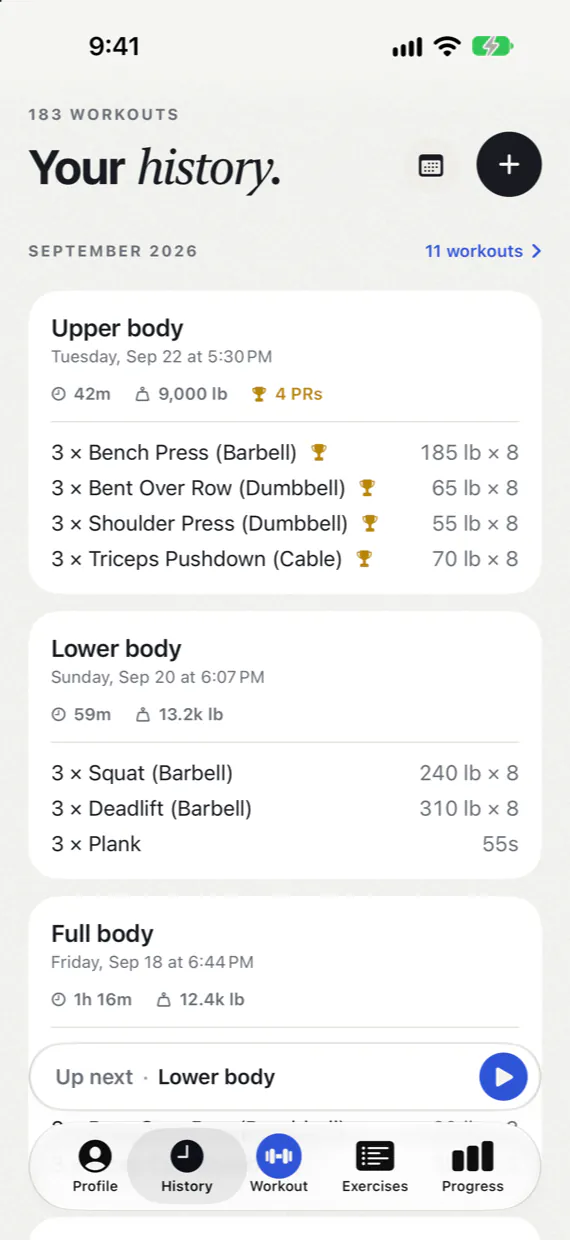
History shows each month on a calendar, with your total count on top. Start any past workout again, or share it.
Up next, from any tab
Today’s planned workout waits above the tab bar, one tap from starting (iOS 26.1 or later). While you rest, the timer names the next set.
Widgets
A month calendar with your week streak, your week against your goal, and your next workout.
Friends · optional
Friends, not followers.
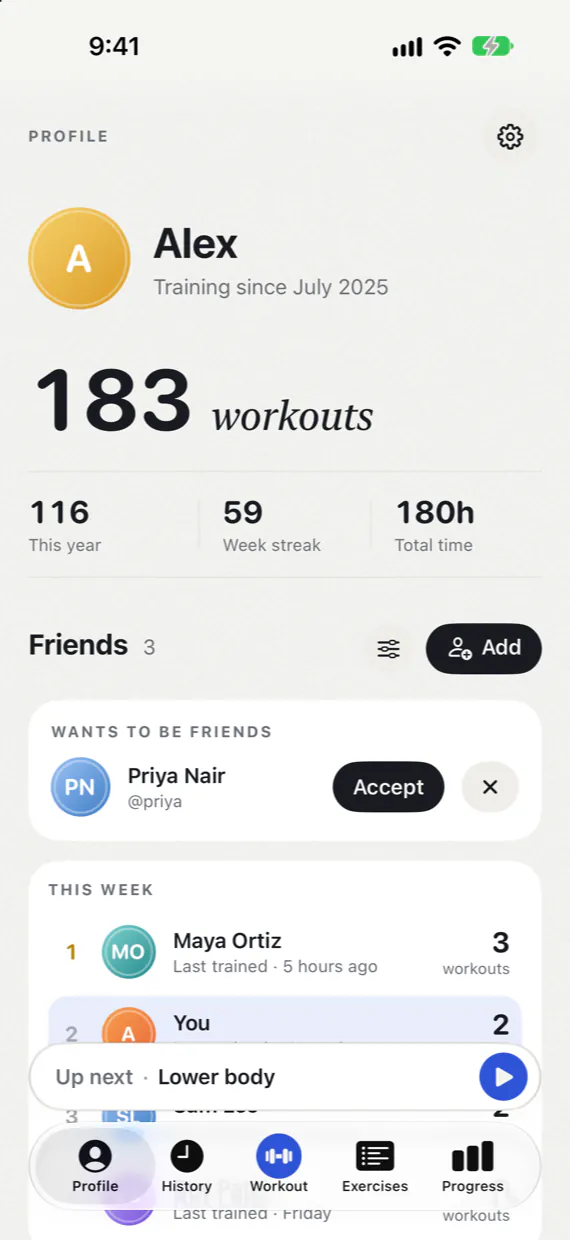
Add the people you train with by code or @handle. It only works both ways, and nothing is shared until you turn it on.
- No public profiles, no discovery, no strangers.
- Weekly standings and one-tap cheers.
- A free account that signs in with a passkey. No password.
Private by default
Your training stays yours.
No ads, no tracking, no analytics. Workout Pal works fully offline, without an account.
On your iPhone
Workouts, history, body measurements and progress are stored on your phone. Logging never needs a connection.
An account if you want one
Sync your devices and add friends with a passkey. Synced data is kept on Workout Pal’s own server and isn’t end-to-end encrypted.
Encrypted backup
A separate option: your journal is encrypted on your iPhone with a recovery key only you hold.
Yours to take or delete
Export everything as a file, or your workouts as a Strong-format CSV, whenever you like. Delete your account, and its synced data, friends and shared workouts go with it.
A few answers.
Do I need an account?
No. Workouts, history, progress and the exercise library all work offline on your iPhone. An optional free account, signed in with a passkey instead of a password, adds sync across your devices and friends.
How do friends work?
Friends are optional and need an account. Share your code or @handle with someone you train with; you’re connected once they accept. There are no public profiles, and strangers can’t find you.
Sharing is off until you turn it on. Then each workout you finish reaches your friends as a summary: name, date, duration, sets, volume, best sets and personal records. Never your body weight, measurements or notes. Stop sharing or delete what you’ve shared at any time. More about friends
Can I bring my history, or take it with me?
Yes. Import Strong, Hevy or FitNotes exports, your Hevy account through its API, openGym backups, and body weight from a CSV file or an Apple Health export. You’ll see a preview before anything is added. Supported imports
To take it elsewhere, export your workouts as a CSV in Strong’s format, or your whole journal as a file.
Pounds or kilograms?
Pounds by default, kilograms whenever you like. Change it any time in Settings; your history is shown in the new unit. If you logged numbers under the wrong unit, Settings can correct them and keeps a recovery copy first.
How does backup work?
Export your whole journal as a file whenever you like. For automatic protection, turn on encrypted cloud backup: your journal is encrypted on your iPhone, and only your recovery key unlocks it. Keep that key safe; we can’t recover it. Backup guide
Which languages does it speak?
English, German (with a Swiss variant), Spanish, French, Italian, Portuguese (Portugal and Brazil), Polish, Turkish, Russian, Chinese, Korean, Hindi, Thai and Hungarian. It follows your iPhone’s language, or you can choose one in Settings.
When can I get it?
Workout Pal isn’t on the App Store yet. It runs on iPhone with iOS 17 or later. Email us for launch updates and we’ll tell you when it’s out.
Ready for your next set?
Workout Pal is coming to iPhone. Email us and we’ll let you know when it’s out.
Get launch updates